
Resize image to 50KB online free for SSC, UPSC, banking and job forms. Compress photo without losing quality using fast and secure tool.
Resize image to 50KB is one of the most common requirements for online job applications, government exams like SSC, banking forms, and other uploads. Many users face the error “image size too large” while submitting forms.
Read Also There :- !! Click Here !!
Resize Image to 50KB Online Free (SSC, UPSC, Job Forms)
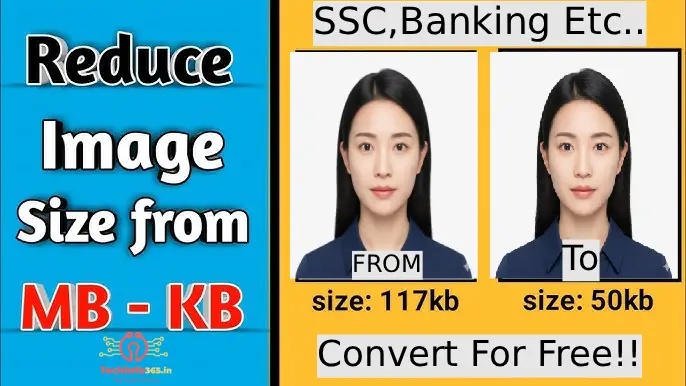
Resize Image to 50KB Online Free (SSC, UPSC, Job Forms)
This happens because the uploaded image exceeds the allowed file size limit. In this guide, you will learn how to resize image to 50KB easily without losing quality.
How to Resize Image to 50KB
How to Resize Image to 50KB Why Image Size Matters Best Tools to Resize Image Tips to Maintain Quality Common Errors and Fixes FAQ
Why Resize Image to 50KB?
Many government and private websites require images under specific limits:
- SSC photo size: 20KB – 50KB
- Banking forms: under 50KB
- Job portals: fixed upload size
- How to Resize Image to 50KB
If your image is larger, your form will not be accepted.
How to Resize Image to 50KB (Step-by-Step)
- Open the resize image tool
- Upload your image
- Click on resize button
- Download resized image
Use this tool:
Click Here For Free
Common Problems Users Face
- Image size too large
- Wrong format (PNG instead of JPG)
- Blurry image after compression
- Upload errors
Best Tips to Maintain Quality
- Use JPG format
- Start with high-quality image
- Avoid compressing multiple times
- Resize dimensions before compression
Best Image Formats
- JPG → Best for small size
- PNG → Better quality but larger size
- WEBP → Best for web performance
Pro Trick (Very Important)
If your image is very large:
- First compress image
- Then resize to 50KB
👉 Compress tool:
https://tools.techinfo365.in/compress-image
Related Tools
- Resize Image to 100KB
https://tools.techinfo365.in/resize-image-to-100kb - Passport Size Photo Maker
https://tools.techinfo365.in/passport-size-photo-maker - Image to PDF
https://tools.techinfo365.in/image-to-pdf
Frequently Asked Questions (FAQ)
Q: How do I resize image to 50KB online?
A: Upload your image and use resize tool to reduce file size.
Q: Is it free?
A: Yes, completely free.
Q: Is my image safe?
A: Yes, processing happens in browser.
Q: Can I use mobile?
A: Yes, works on all devices.
Conclusion
Resizing image to 50KB is essential for online forms and job applications. Using the right tool, you can quickly reduce image size without losing quality and avoid upload errors.